



1.概述
trino默认的jdbc,cli及web ui等客户端均封装的是http协议,且无法使用密码,即非安全链接,如下图所示:
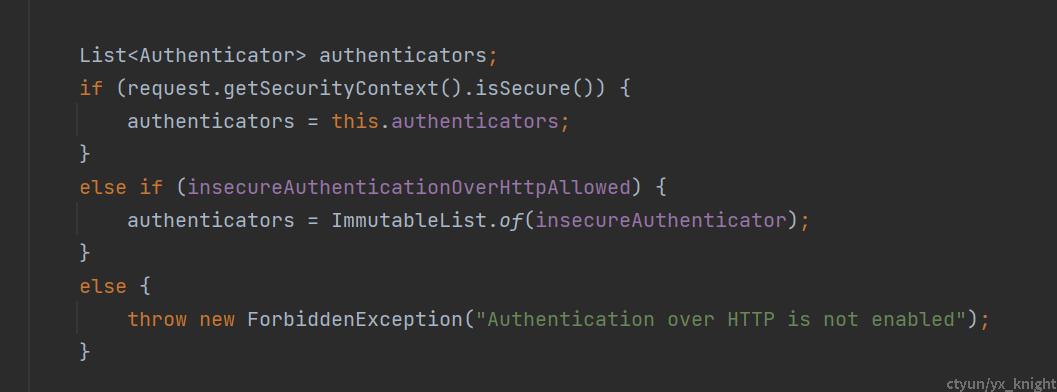
如果这个时候传输密码到服务端,会抛出Authentication over HTTP is not enabled 异常,当然也可以修改源码支持http+密码的方式访问trino,但是稍微复杂一些,服务端和客户端都需要改造,如果是外接的系统比如BI就比较麻烦。在不修改源码的情况下,如果想要使用用户名+密码的方式访问trino, 那就必须启用https。
非安全链接配置比较简单可参考trino官网,下面我们探讨一下trino https链接
2.https 链接
trino支持三种方式的https链接,分别是:通过代理服务https访问trino, 基于私有证书的https,基于通用证书的https
2.1通过代理服务https访问trino
这是官方最推荐的方式,只需要在coordinator config.properties加如下配置:
http-server.process-forwarded=true
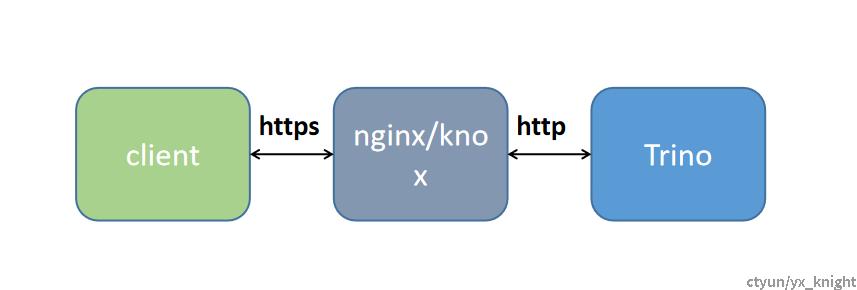
然后即可通过前端的负载均衡或者代理服务访问后端的trino coordinator, 这个时候trino coordinator不需要配置https,还是默认的http配置,只需要前端的代理https是基于通用证书即可,客户端访问代理的https接口将信息转发到后端的trino server,如下图所示:
2.2 基于私有证书的https
一般生产环境也会使用这种方式,需要自己生成证书
1.生成证书:
coordinator=true
node-scheduler.include-coordinator=true
discovery.uri=https://127.0.0.1:8443
http-server.https.enabled=true
http-server.https.port=8443
http-server.https.keystore.path=etc/trino.jks
http-server.https.keystore.key=123456.
http-server.authentication.type=password
internal-communication.shared-secret=xxxxx
touch password.db
htpasswd -B -C 10 password.db trino
然后输入密码123456.即可
4.创建etc/password-authenticator.properties
password-authenticator.name=file
file.password-file=etc/password.db
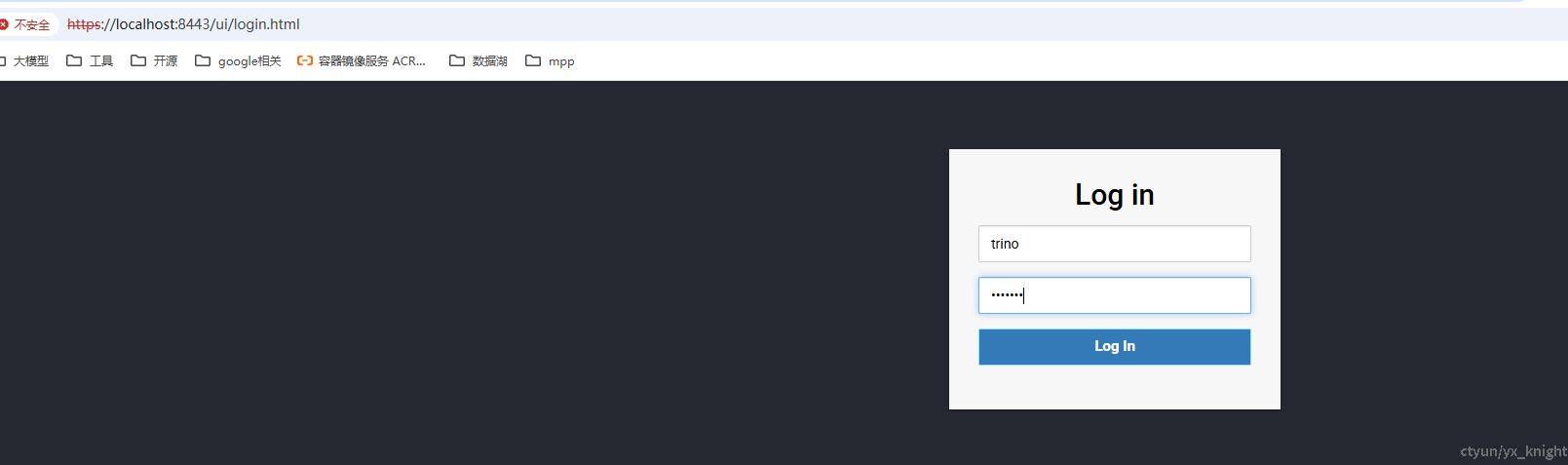
2.3 基于通用证书的https
需要申请通用证书,trino使用通用证书的配置方法和2.2一样,但是通用证书一般有时间期限,超时需要重新申请,通用证书支持所有形式的客户端和浏览器的https连接,无需对客户端做额外配置,也是官方比较推荐的。
申请链接:
https://www.sslforfree.com/
